Work · Data
table-qa.
A spreadsheet and a question go in. The answer, a chart and the steps that produced them come out.
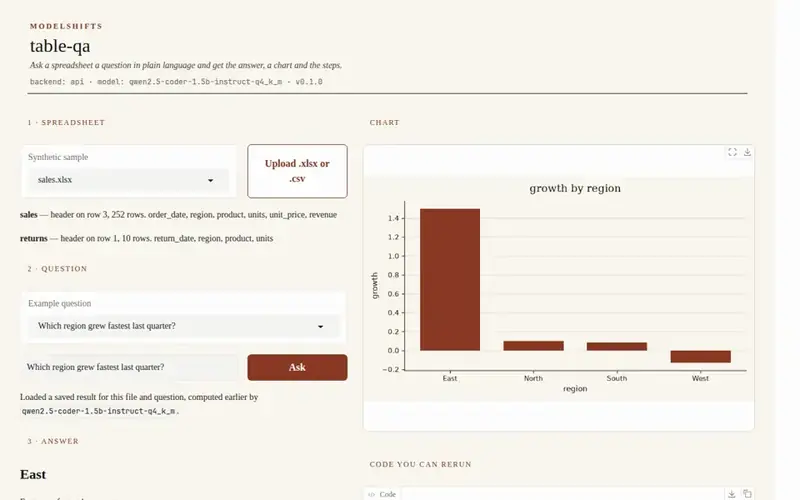
The problem
A number, without the steps that produced it.
Imagine a sales workbook and a question: which region grew fastest last quarter? Someone opens the file, builds a pivot, and pastes a number into a slide. A different reading of “last quarter” gives a different number, and the steps that produced it are usually already gone.
The useful result is not a model that can “understand spreadsheets.” It is the number, the chart, and the exact steps — including the code — that produced them, so a person can rerun and check.
What we built
The answer, the chart, and the code that produced them.
The pipeline is five steps. An Excel file or a CSV is profiled (sheets, headers, types). A model writes pandas code for the question, using a single reading of phrases such as “last quarter” and “grew fastest.” That code runs in a sandbox; the original file is not modified. You get the computed value, a sentence, a chart when one helps, and the steps as readable steps and as code you can rerun. The backend can be a hosted API or open models on your own machine; the rest of the pipeline stays the same.

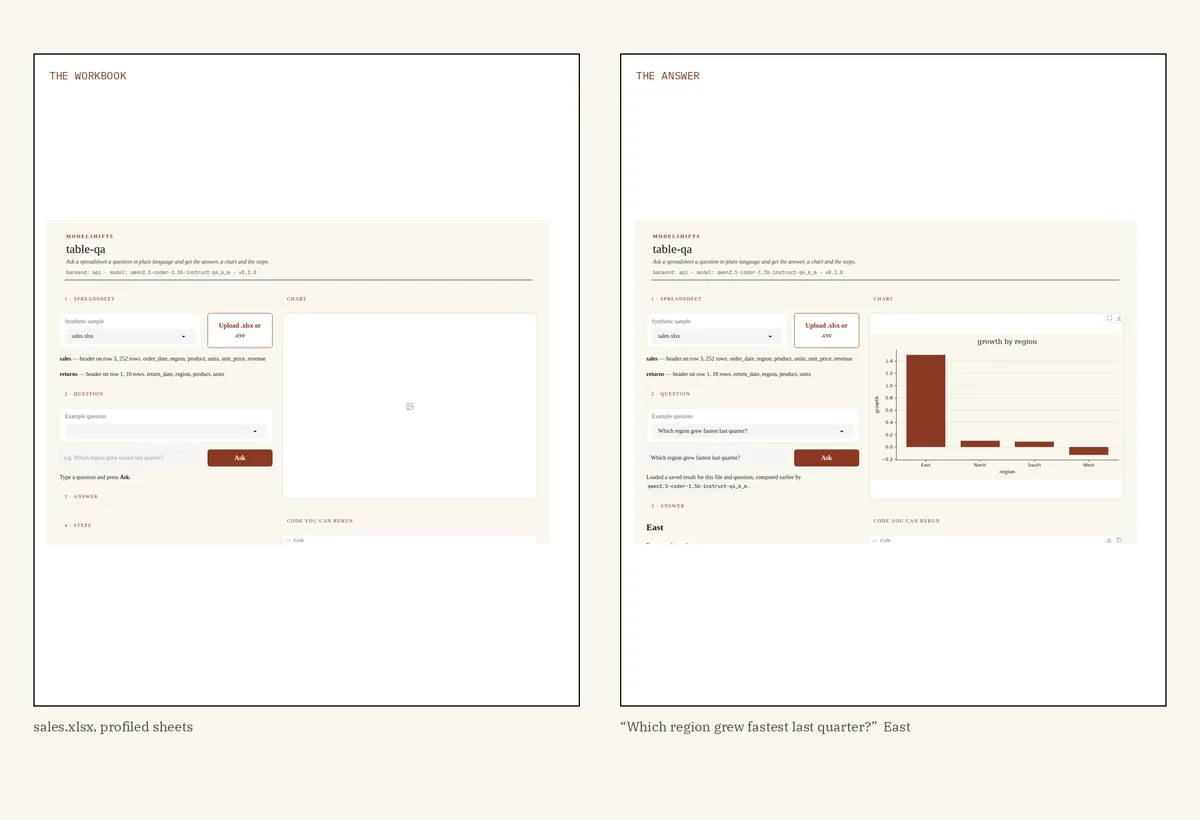
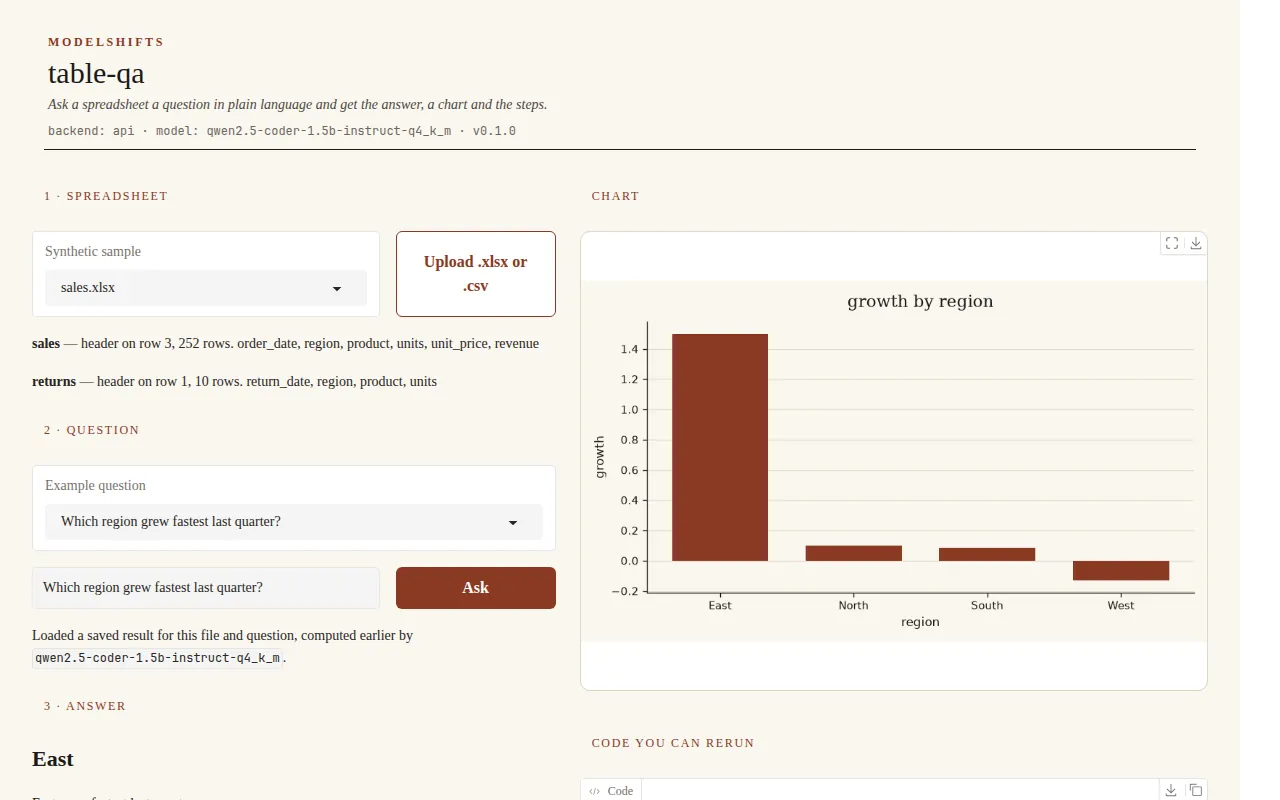
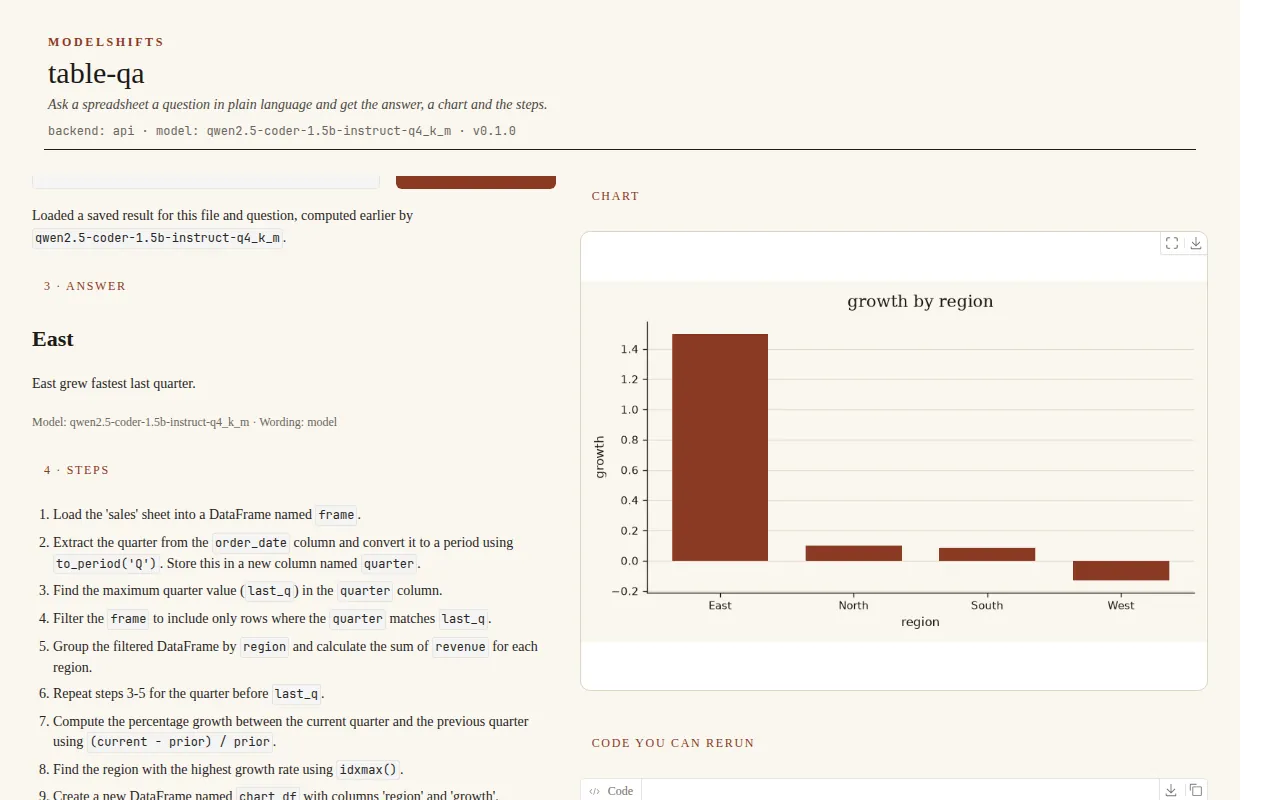
A number without the steps is a rumour. A number with the code that produced it is a claim you can rerun — from “East” back to the percentage-growth calculation, and reject it if the code is wrong. That is the difference between an answer you recompute to be safe, and an answer you can actually use.
Results
6 of 7 questions correct with the 1.5B model.
-
6 / 7
Questions correct · 1.5B
-
20–103 s
Per question
-
4 / 7
Hugging Face · same 1.5B
On seven questions against one sales workbook (and the same sales rows as a CSV), the API backend with Qwen2.5-Coder-1.5B-Instruct (Q4_K_M) got 6 of 7 values correct, in 20.1–103.5 seconds per question.
The one miss is top_region: “Which region has the highest total revenue?” expected North and came back as East.
| Id | Question | Expected | Got | Correct | Time (s) |
|---|---|---|---|---|---|
latest_order_date | What is the latest order date? | 2026-09-15 | 2026-09-15 | yes | 24.9 |
total_revenue | What is the total revenue? | 43290 | 43290 | yes | 31.0 |
top_region | Which region has the highest total revenue? | North | East | no | 60.3 |
top_product | Which product sold the most units? | Ash | Ash | yes | 51.4 |
fastest_growth | Which region grew fastest last quarter? | East | East | yes | 103.5 |
most_returns | Which region has the most returned units? | South | South | yes | 38.4 |
csv_total_revenue | What is the total revenue? (sales.csv) | 43290 | 43290 | yes | 20.1 |
| All | 6/7 | 20.1–103.5 |
Methodology. One workbook (samples/sales.xlsx, sheets sales and returns) and samples/sales.csv, seven questions in samples/questions.json. A question counts as correct when the computed value matches that ground truth (dates as ISO, numbers exact, strings case-insensitive). The value comes from running the generated pandas in the sandbox, not from the wording of the sentence. “Last quarter” is the calendar quarter of the latest date; “grew fastest” is the largest percentage change in revenue between that quarter and the previous one. API backend, Qwen2.5-Coder-1.5B-Instruct (Q4_K_M) behind a local llama.cpp server, 12 November 2026. The raw table is in docs/eval.md. The script is scripts/evaluate.py; the samples are in samples/.
The Hugging Face backend with Qwen2.5-Coder-1.5B-Instruct (and Qwen2.5-1.5B-Instruct for the sentence, loaded one at a time) got 4 of 7. top_region was correct there; top_product, fastest_growth and most_returns failed (the generated code looked up a units column that is not on the sales sheet, or returned no value). Times were 34.5–137.9 seconds.
Run it yourself
Three commands, then the demo.
git clone https://github.com/ModelShifts/table-qa
cd table-qa && python -m venv .venv && source .venv/bin/activate
pip install -e ".[hf,demo]" && table-qa serve
On a CPU-only machine, install the CPU build of PyTorch first and set MS_SMALL=1. That selects the 1.5B models. Python 3.11 or newer.